New signage or industrial players
Purpose-built digital signage and industrial mini PCs are compact, fanless, and designed for 24/7 operation. A recommended option is the AOpen DE3129, which supports smooth 4K playback in a small form factor.
Hardware FAQ
Use a compatible player with almost any display that has HDMI. Here is what Framebaker supports today and what you need to get started.
Purpose-built digital signage and industrial mini PCs are compact, fanless, and designed for 24/7 operation. A recommended option is the AOpen DE3129, which supports smooth 4K playback in a small form factor.
Used or refurbished thin clients from manufacturers such as Dell, HP, and Lenovo can run Framebaker Player at a fraction of the cost of new hardware, as long as the hardware meets the requirements below.
Any compatible Intel laptop or desktop PC can be repurposed as a Framebaker player. This is an easy way to put older hardware back to work.
Supported today
Display requirements
Built into the installer
The installer's built-in hardware check will confirm compatibility during setup. It walks through the processor, memory, storage, GPU, and TPM before letting you continue, so you know your device is ready before you deploy it.
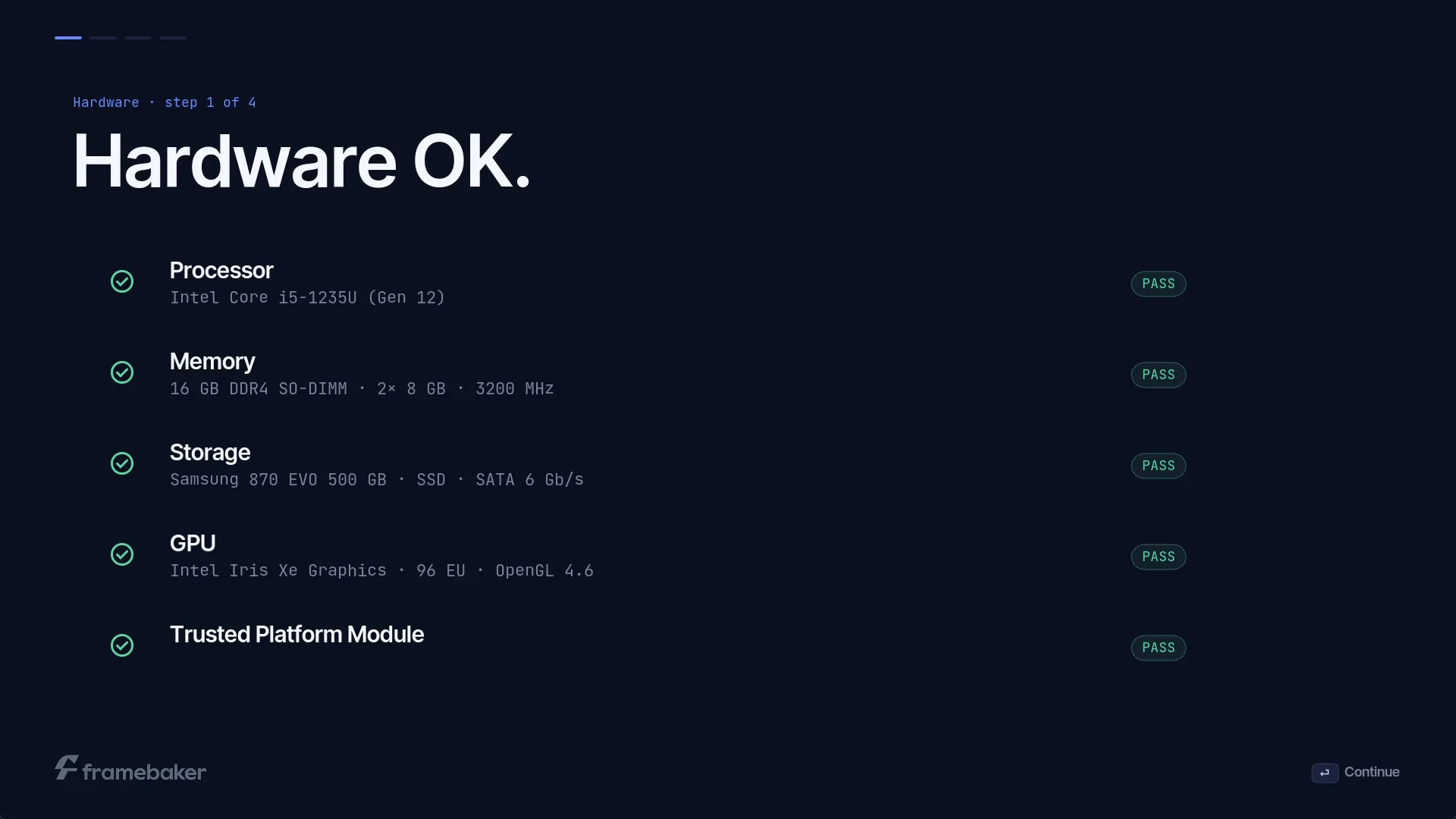
Framebaker supports player hardware with an Intel 8th generation or newer processor, at least 4GB of RAM, at least 16GB of storage (eMMC, SSD, or HDD), and a standard Ethernet or Wi-Fi network card. The installer includes a built-in hardware check to confirm your device is compatible before installation.
Write the installer to a USB drive with at least 4GB of storage, then boot your player from it. The installer runs a built-in hardware check and guides you through setup.
Yes. In most cases, you can use an existing television or commercial display with an available HDMI input. The Framebaker player connects to the display and handles content playback.
No. A specialist signage display is not required, although commercial displays may be a better fit for long operating hours, portrait mounting, or demanding environments.
The player needs power, an HDMI connection to the display, and a reliable internet connection to receive content, schedules, status updates, and software updates.
Yes, as long as it meets the minimum hardware requirements. The installer's built-in hardware check will confirm compatibility during setup.
No, Framebaker is software only and does not sell hardware bundles. Contact us if you need help selecting or preparing hardware for a rollout.
Tell us which display and player you have, and we will help confirm compatibility.